This build was not declared for the device you appear to be using. It may not support your screen or controls.

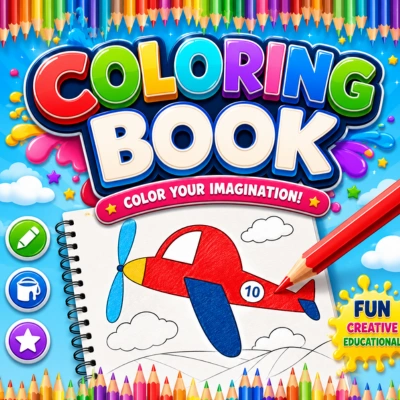
Coloring Book
by onlinegameweb
Casual Games · Free to play
Coloring Book: Full Guide & Tips
No rules, no timer, just colour. Pick a drawing — fruits, animals, cars, dolls — choose your palette, and fill it in however you like, with unlimited undos if you change your mind.
What's inside
Coloring Book features
- Select a drawing template to start colouring.
- Pick a colour from the palette, then tap or click on the areas of the drawing you want to fill.
- Use the undo button to reverse a mistake, and the print option to save your finished picture.
- Fill in larger background areas first, then work on smaller details — it's easier to stay inside the lines that way.
- Use the undo button freely — there's no penalty for experimenting with colours you might change later.
- Try unusual colour combinations — part of the fun is that there's no "correct" way a fruit or animal has to look.
- A relaxing, pressure-free creative activity with no rules, timers, or scores.
- The undo feature means kids can experiment freely without fear of "ruining" a picture.
Quick start
How to play Coloring Book
-
1
Step 1
Select a drawing template to start colouring.
-
2
Step 2
Pick a colour from the palette, then tap or click on the areas of the drawing you want to fill.
-
3
Step 3
Use the undo button to reverse a mistake, and the print option to save your finished picture.
-
4
Step 4
Fill in larger background areas first, then work on smaller details — it's easier to stay inside the lines that way.
-
5
Step 5
Use the undo button freely — there's no penalty for experimenting with colours you might change later.
-
6
Step 6
Try unusual colour combinations — part of the fun is that there's no "correct" way a fruit or animal has to look.
Game details
About Coloring Book
Play Coloring Book free! Pick a drawing, choose your colours, and fill in fruits, animals, and more at your own pace. No download needed, play instantly online!
- Player rating
- —
- Plays
- 0
- Age rating
- Everyone
- Orientation
- Auto
- Version
- 1.0.0
- Developer
- onlinegameweb
Website
Instructions
How It Works Select a drawing template to start colouring. Pick a colour from the palette, then tap or click on the areas of the drawing you want to fill. Use the undo button to reverse a mistake, and the print option to save your finished picture. Creative Freedom Fill in larger background areas first, then work on smaller details — it's easier to stay inside the lines that way. Use the undo button freely — there's no penalty for experimenting with colours you might change later. Try unusual colour combinations — part of the fun is that there's no "correct" way a fruit or animal has to look. Why Kids Enjoy It A relaxing, pressure-free creative activity with no rules, timers, or scores. The undo feature means kids can experiment freely without fear of "ruining" a picture. A varied collection of drawings keeps it interesting well beyond a single session.
Controls
Select a drawing template to start colouring. Pick a colour from the palette, then tap or click on the areas of the drawing you want to fill. Use the undo button to reverse a mistake, and the print option to save your finished picture. Fill in larger background areas first, then work on smaller details — it's easier to stay inside the lines that way. Use the undo button freely — there's no penalty for experimenting with colours you might change later. Try unusual colour combinations — part of the fun is that there's no "correct" way a fruit or animal has to look.
Player reviews
No player ratings yet.